Register Customer Tenant Sub domain
The registration of the customer Subdomain is performed in the Customer Microsoft 365 admin center and in the Service Provider tenant DNS Zone:
|
■
|
The customer must generate a TXT record to validate with the Service Provider domain and an A-record to translate the customer site SBC shortname (configured in the Onboarding wizard) to its IP address and FQDN. |
|
■
|
The Service Provider must add the new record in the DNS Zone. |
|
➢
|
To register a sub domain for customer tenant: |
|
1.
|
Login to the Microsoft 365 admin center with customer Tenant Admin permissions. |
|
2.
|
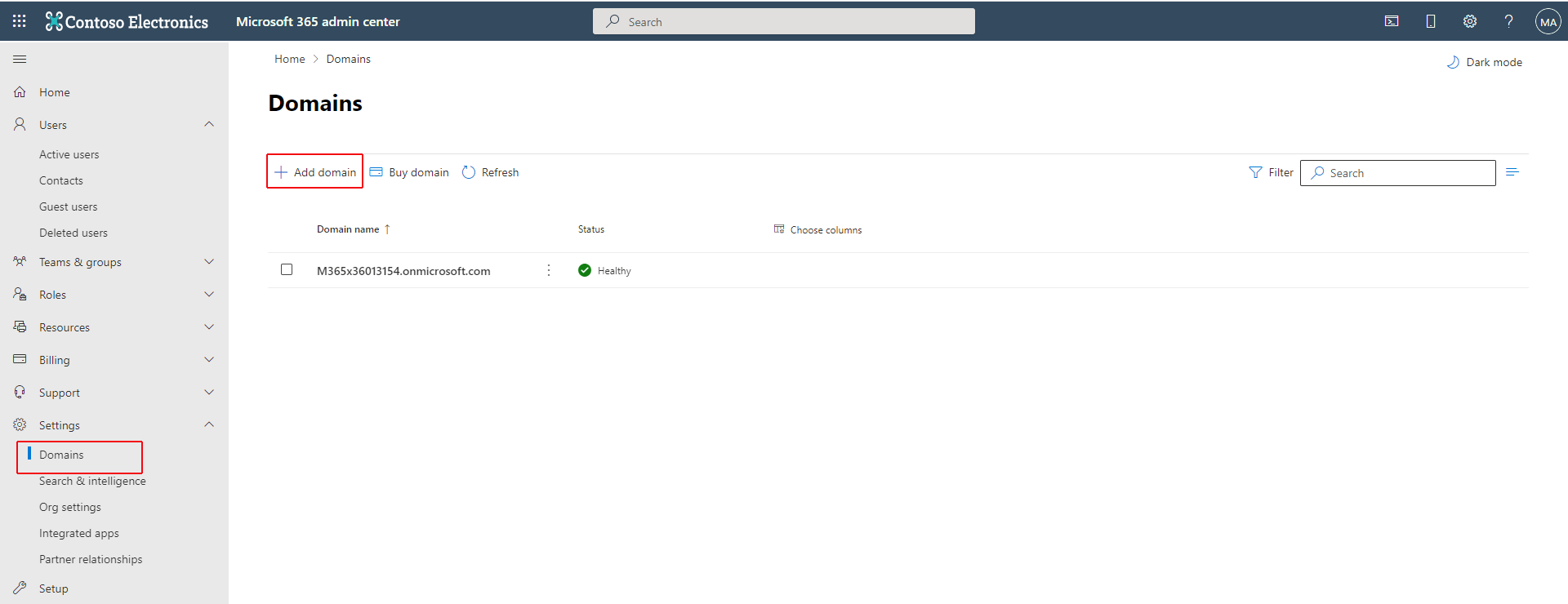
In the Navigation pane, select Settings > Domains and then click Add a Domain. |
|
3.
|
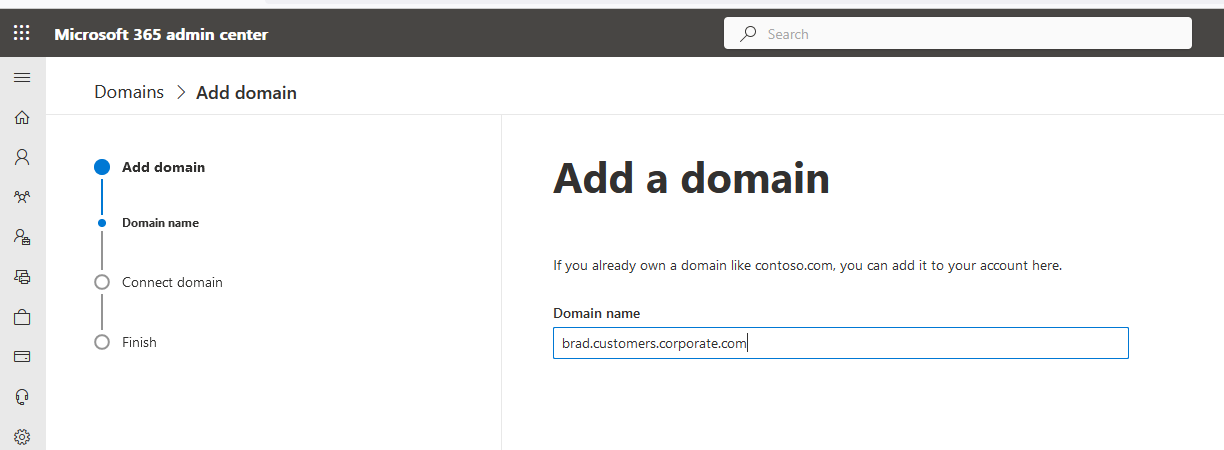
Enter the name for the customer subdomain e.g. brad.customers.corporate.com |
|
4.
|
Click Use this domain. |
|
5.
|
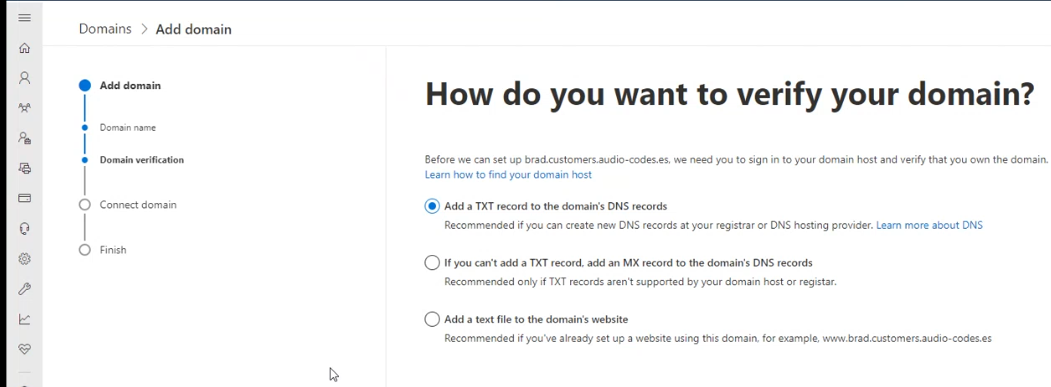
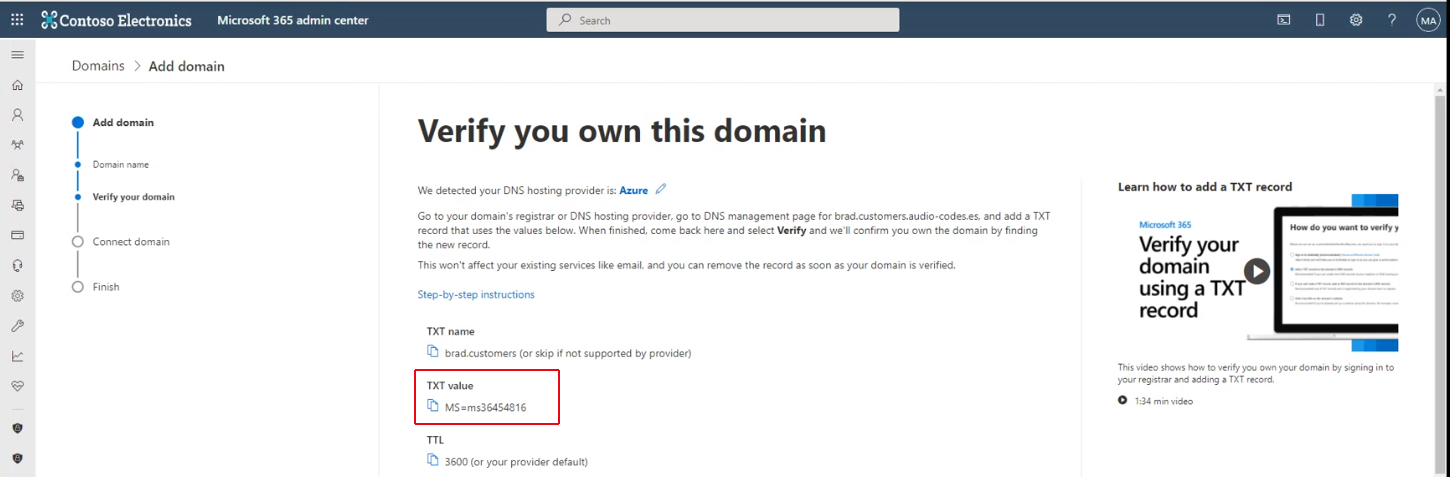
Select Add a TXT record to the domain’s DNS records check box. |
|
6.
|
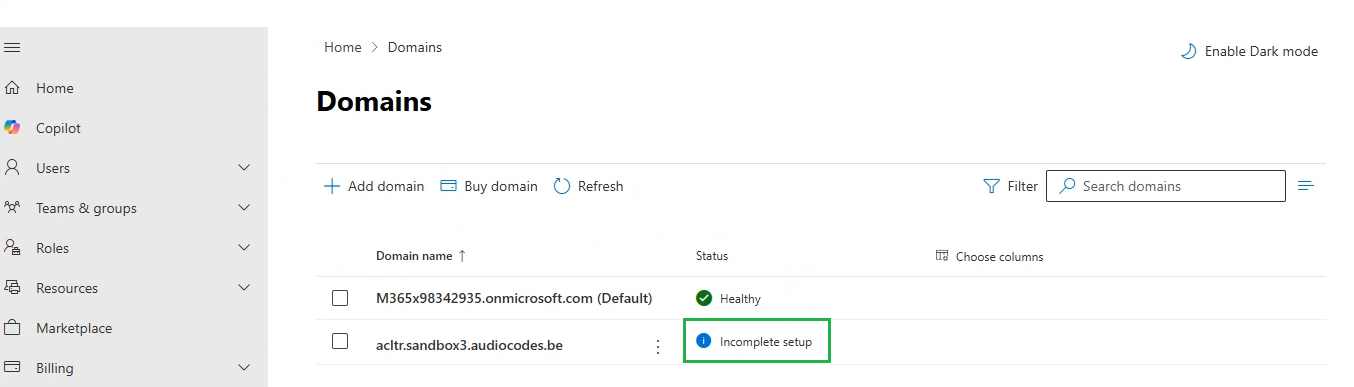
Copy the TXT value to clipboard and then close the page. Notice that the 'Incomplete setup' status is displayed adjacent to the Domain name as shown in the example screen below. |
|
7.
|
Wait for notification from Professional Services upon the completion of the DNS setup. |